
How Can You Protect Your Privacy When Interacting With Virtual Friends?
Gusti Ayu Tita P
25 September 2026
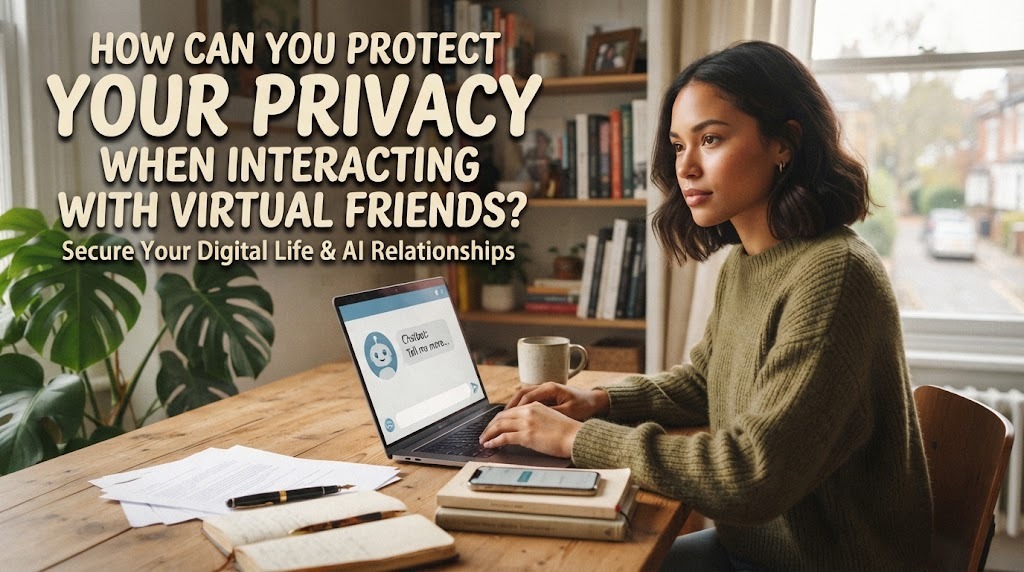
Virtual friends can make communication easier and more convenient. People can use them to have conversations, share ideas, ask questions, or simply enjoy digital companionship. However, these interactions may involve personal information and private conversations. If users are not careful, sensitive information could be exposed, stored, or misused. Learning basic privacy habits can help people enjoy virtual friends while keeping their information safer.
WHY IS PRIVACY IMPORTANT WHEN USING VIRTUAL FRIENDS?
Privacy is important because conversations with virtual friends may contain details about a person's life. Users might accidentally share their name, location, daily routine, personal opinions, or private experiences during a conversation. Some digital services may collect information to provide or improve their features. Understanding this possibility can encourage users to think carefully before sharing information.
Privacy also helps people maintain control over their personal data. Information shared online can sometimes remain available longer than expected, depending on the platform and its policies. Users should therefore avoid treating digital conversations as completely private by default. Being careful about what you share is one of the simplest ways to protect your privacy.
WHAT PERSONAL INFORMATION SHOULD YOU AVOID SHARING?
Users should avoid giving virtual friends sensitive information that is not necessary for the conversation. This includes passwords, banking details, identification numbers, security codes, and private account information. A home address or precise location should also be shared carefully, especially with unfamiliar online services or people. Even information that seems harmless can sometimes be combined with other details to identify or target someone.
Personal photographs and private documents also require caution. Before uploading anything, users should consider whether the information could cause problems if it were accessed by someone else. It is safer to share only the minimum information needed for a particular purpose. The less sensitive information you share, the lower the potential privacy risk.
HOW CAN YOU CHECK A VIRTUAL FRIENDS PRIVACY POLICY?
Before using a virtual friend service, users can review its privacy policy and data settings. The policy may explain what information is collected, how it is used, how long it may be stored, and whether it is shared with other parties. Although privacy policies can be lengthy, users can focus on sections about data collection, storage, sharing, and deletion. This can provide a clearer understanding of how the service handles personal information.
Users should also check whether the platform provides privacy controls. Some services may allow users to manage conversation history, personalization settings, or data-sharing preferences. These options can vary between platforms and may change over time. Checking privacy settings regularly is therefore a useful habit.
HOW CAN STRONG PASSWORDS PROTECT YOUR ACCOUNT?
A strong password can help prevent unauthorized access to an account. Users should create passwords that are long, unique, and difficult to guess. Using the same password across multiple services can increase the damage if one account is compromised. A password manager can also help users create and store unique passwords safely.
Where available, users should enable two-factor authentication or another additional sign-in protection. This creates another security step beyond the password. Users should never share passwords or verification codes with other people or suspicious services. Good account security can reduce the risk of someone accessing private conversations and personal information.
WHY SHOULD YOU BE CAREFUL WITH LINKS AND REQUESTS?
Virtual interactions may sometimes include links, files, or requests for information. Users should be cautious if a message asks them to click an unfamiliar link, download an unknown file, or provide sensitive information. A suspicious request should not be trusted simply because it appears inside a familiar platform. Attackers can use convincing messages to encourage people to reveal private information.
Before opening a link, users can check where it leads and whether the source is trustworthy. Important requests should also be verified through official channels when possible. If something feels unusual or urgent, taking a moment to check it can prevent mistakes. Being cautious is especially important when a request involves passwords, payments, or personal data.
SHOULD YOU SHARE YOUR LOCATION WITH VIRTUAL FRIENDS?
Location information can reveal more about a person than they may realize. Sharing a precise home address, school location, workplace, or regular route can create unnecessary privacy risks. Users should consider whether location information is actually needed for the conversation. In many situations, a general location is safer than an exact address.
Location permissions should also be reviewed on the device and within individual applications. Users can turn off location access when a service does not need it, depending on their device settings. They should also avoid publicly posting information that reveals when they are away from home. Limiting location information can reduce unnecessary exposure.
HOW CAN YOU PROTECT YOUR PRIVATE CONVERSATIONS?
Users should remember that digital conversations may not have the same privacy as a private conversation with a person in a physical setting. Before sharing sensitive information, they should consider how the platform handles conversation data. If the information is highly personal or confidential, it may be better not to enter it into a virtual service at all.
Users should also review available conversation history and data controls. If a platform offers options to delete conversations or manage stored information, users can use those controls according to their needs. However, deletion features do not necessarily mean that every copy or record is immediately removed from every system. Avoiding unnecessary sensitive information remains an important privacy practice.
HOW CAN YOU KEEP YOUR DEVICE SECURE?
Protecting privacy also means protecting the device used to access virtual friends. Users should keep their operating system, applications, and security software updated when updates are available. Updates can include security improvements that address known weaknesses. A device lock such as a strong PIN, password, or biometric protection can provide another layer of protection.
Users should also be careful when accessing virtual friends through public or shared devices. They should avoid saving passwords on devices that other people can easily access. Logging out of accounts after using a shared device can further reduce the chance of unauthorized access. Device security and account security work together to protect personal information.
WHAT SHOULD YOU DO IF YOU ACCIDENTALLY SHARE PRIVATE INFORMATION?
Mistakes can happen even when users are careful. If sensitive information is accidentally shared, the appropriate response depends on what information was exposed. For example, a compromised password should be changed immediately, especially if it is used on other accounts. Financial or account information may require additional steps depending on the situation.
Users should also review recent account activity for anything unusual. If they believe an account has been compromised, they should use the platform's official security and recovery options. Avoiding panic and taking quick, practical security steps can help reduce potential harm. Learning from the mistake can also make future digital interactions safer.
HOW CAN YOU BUILD HEALTHY PRIVACY HABITS?
Good privacy protection is not about avoiding virtual friends completely. Instead, users can develop simple habits that reduce unnecessary risks. They can share less personal information, use strong account protection, review privacy settings, and verify suspicious requests. These habits can become part of normal digital communication.
Users should also think carefully about whether a virtual friend actually needs certain information. If the answer is no, there is usually little reason to share it. Regularly reviewing account settings and digital habits can help users stay aware of changing privacy risks. Smart sharing and careful digital behavior are key parts of protecting online privacy.
CONCLUSION
Protecting privacy while interacting with virtual friends requires awareness and good digital habits. Users should avoid sharing passwords, financial information, precise locations, identification details, and other sensitive data. They should also review privacy policies, use strong passwords, enable additional account protection, and remain cautious about suspicious links or requests. Keeping devices secure and limiting unnecessary personal information can further reduce privacy risks. By using virtual friends responsibly, people can enjoy digital companionship while maintaining greater control over their personal information.
Tentang Penulis
Gusti Ayu Tita P
Penulis — Universitas STEKOM
Penulis aktif yang berfokus pada isu-isu akademik, teknologi pendidikan, dan pengembangan sumber daya manusia di lingkungan kampus.