
Essential Equipment for Creating Professional Live Streaming Content
Gusti Ayu Tita P
27 Agustus 2026
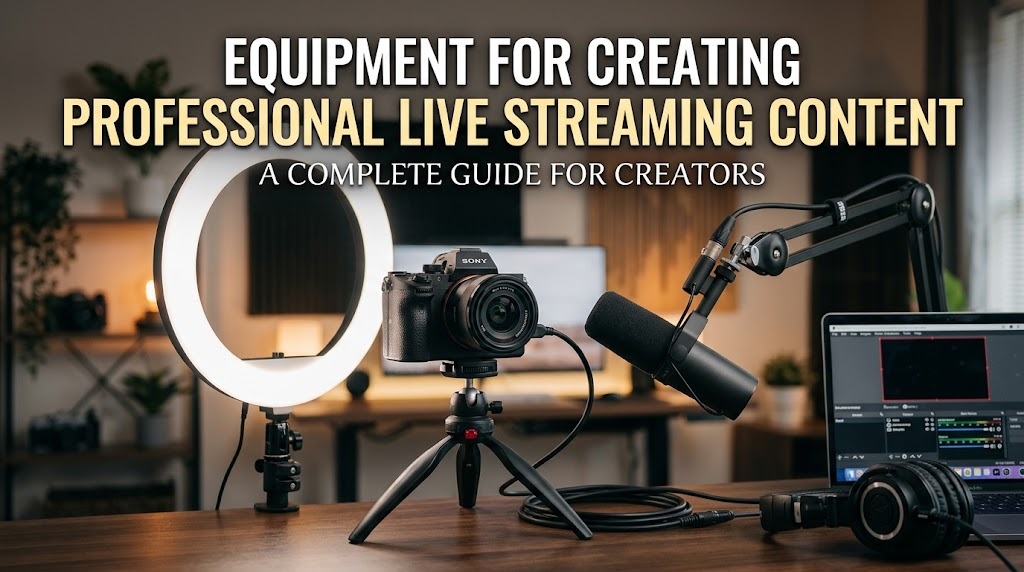
Live streaming has become an effective way for creators, businesses, educators, and communities to communicate with audiences in real time. However, producing an attractive broadcast requires more than simply turning on a camera and pressing the live button. Good equipment can improve video quality, audio clarity, lighting, and overall viewer experience. The right setup also helps creators appear more professional and maintain consistent content quality.
Choosing live streaming equipment does not always mean buying the most expensive products. Creators should focus on equipment that matches their content type, platform, audience, and budget. With the right combination of tools, even a simple setup can deliver a professional live streaming experience.
CAMERA FOR CLEAR AND PROFESSIONAL VIDEO
A camera is one of the most important pieces of equipment for live streaming because it determines how clearly viewers see the presenter and content. Beginners can start with a smartphone or webcam because modern devices can produce good video quality under suitable lighting conditions. For creators who want more control over image quality, mirrorless cameras and other dedicated cameras can provide better detail and flexibility. The choice should depend on the type of content, streaming location, and available budget.
Resolution is another factor to consider when selecting a camera. Full HD is generally sufficient for many live streams, while higher resolutions can be useful for creators who need sharper images and have enough internet bandwidth and processing power. A stable camera position is also important because unnecessary movement can make viewers uncomfortable. Using a tripod or reliable camera mount can create a cleaner and more professional presentation.
MICROPHONE FOR CLEAR AUDIO
Viewers may tolerate average video quality, but poor audio can quickly make them leave a live stream. A dedicated microphone can significantly improve speech clarity by reducing unwanted noise and providing more consistent sound. Creators can choose from USB microphones, lavalier microphones, headset microphones, or XLR microphones depending on their setup and experience. Each type offers different advantages for different streaming environments.
Microphone placement also affects audio quality. The microphone should be positioned close enough to capture the speaker clearly without causing excessive volume or unwanted breathing sounds. Creators should conduct an audio test before going live to identify background noise, distortion, echo, or connection problems. Using headphones during testing can make it easier to detect audio issues that may not be obvious through speakers.
LIGHTING TO IMPROVE VISUAL QUALITY
Good lighting can make a major difference even when the camera itself is not expensive. Proper lighting helps the audience see the creator clearly and creates a more attractive visual appearance. Soft and balanced lighting is often preferable because harsh light can create strong shadows on the face. Natural light from a window can work well, although its intensity may change during a broadcast.
For greater consistency, creators can use LED panels, ring lights, or other adjustable lighting equipment. The light should generally illuminate the subject without making the image excessively bright. Creators should also pay attention to the background because an organized background can strengthen the overall presentation. Consistent lighting makes live content look more polished and recognizable.
COMPUTER AND STREAMING SOFTWARE
A computer may be necessary when creators use multiple sources, display graphics, interact with viewers, or manage several applications during a broadcast. The required specifications depend on the streaming resolution, software, camera sources, and other tasks being performed simultaneously. A system with sufficient processing power and memory can help reduce performance problems. Creators should also make sure their operating system, drivers, and streaming software are properly updated.
Streaming software provides additional control over the broadcast. It can allow creators to arrange camera feeds, add text, show images, switch scenes, and manage other visual elements. A well-organized streaming setup makes the broadcast easier to control in real time. Before an important event, creators should conduct a private test to check the camera, microphone, graphics, and system performance.
STABLE INTERNET AND SUPPORTING EQUIPMENT
A professional live stream needs a reliable internet connection because unstable connectivity can cause buffering, dropped frames, or interruptions. Creators should pay attention to upload speed and connection stability, rather than focusing only on download speed. When possible, a wired Ethernet connection can provide a more consistent connection than wireless networking. However, the ideal connection still depends on the platform, streaming quality, and overall network conditions.
Other supporting equipment can also improve the streaming experience. A tripod or camera mount keeps the camera stable, while headphones help creators monitor audio during the broadcast. A power bank, spare battery, extension cable, or backup internet connection can also be useful for longer sessions or important events. Having backup equipment can reduce the impact of unexpected technical problems.
HOW TO BUILD A PROFESSIONAL STREAMING SETUP
Building a professional setup should begin with the creator's actual needs rather than expensive equipment. Someone who mainly hosts discussions may prioritize a quality microphone and lighting, while a gaming creator may need a powerful computer, capture device, and high-quality camera. Product demonstrations may require additional cameras, stands, or lighting to show details clearly. The best setup is one that supports the content without creating unnecessary complexity.
Creators should also improve their equipment gradually. A practical starting point can include a reliable camera, dedicated microphone, suitable lighting, stable internet, and basic streaming software. After gaining experience, creators can upgrade individual components based on the weaknesses they identify. This approach makes it easier to manage costs while steadily improving production quality.
CONCLUSION
Professional live streaming depends on more than a high-end camera. Clear audio, suitable lighting, stable internet, reliable software, and appropriate supporting equipment all contribute to a better viewer experience. Creators should select equipment according to their content format, technical requirements, audience expectations, and budget. Testing the complete setup before every important broadcast can also prevent avoidable technical problems.
A professional setup does not have to be complicated or expensive. By choosing essential equipment carefully and upgrading it gradually, creators can produce more consistent, engaging, and credible live streaming content.
About the Author
Gusti Ayu Tita P
Author — STEKOM University
An active author focused on academic issues, educational technology, and human resource development in the campus environment.