
How to Update Taxpayer Information in Coretax DJP Online?
Gusti Ayu Tita P
26 Agustus 2026
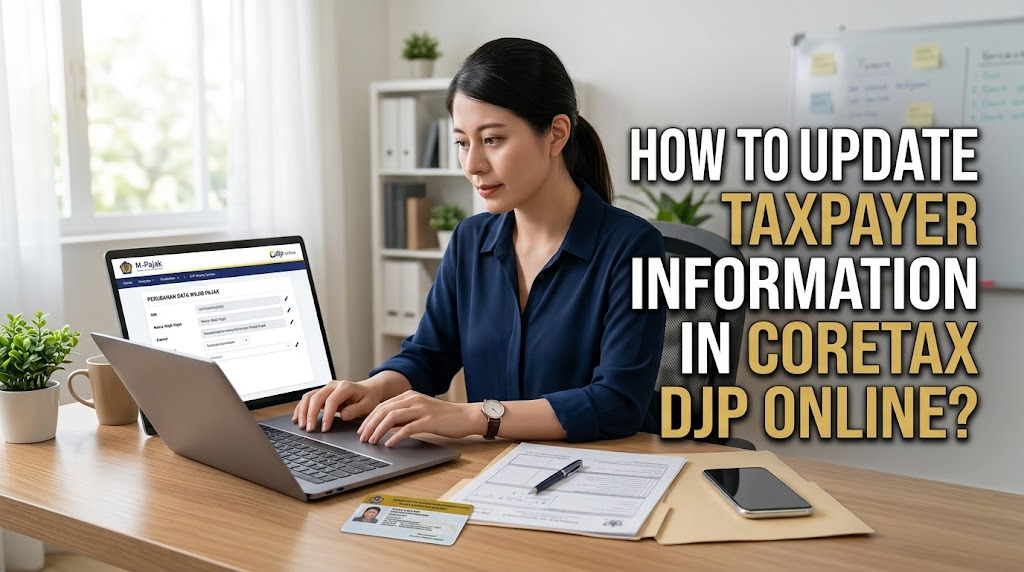
Updating taxpayer information in Coretax DJP is important when personal, contact, address, or business information changes. Accurate taxpayer data helps ensure that digital tax administration can be carried out more smoothly. For taxpayers who are still unfamiliar with Coretax, understanding the general process can make data updates easier and more organized.
Taxpayers should not wait until they need to file a tax return before checking their information. Changes that are not reflected in the tax system may create difficulties during tax reporting, tax payments, verification, or other tax services. Therefore, keeping taxpayer information up to date should become part of regular tax administration.
WHY SHOULD TAXPAYER INFORMATION BE UPDATED?
Accurate taxpayer information is an important foundation for tax administration. Information such as name, address, email, mobile phone number, and other taxpayer details may be used for different services. If the information is outdated, communication or administrative processes may become more difficult.
Updating data also helps maintain consistency between taxpayer records and current circumstances. For businesses, changes in business activities or other registration information may also need to be handled according to applicable procedures. Keeping the profile current can reduce the risk of administrative discrepancies.
WHAT INFORMATION CAN BE UPDATED?
The information that can be updated depends on the type of taxpayer data and the procedure provided by DJP. Taxpayers may need to update contact information, address, or other profile details when circumstances change. Some changes may be handled electronically, while others can require additional verification or documentation.
Before making a change, identify exactly which information needs to be corrected. Avoid changing information that is already accurate. If the requested change involves important registration information, check the latest official DJP guidance to determine the appropriate procedure.
PREPARE SUPPORTING DOCUMENTS
Before starting the update, prepare valid supporting documents related to the information being changed. For example, changes involving identity or address may require documents that can support the new information. The exact requirements depend on the type of change and the applicable procedure.
Having documents ready can make the Coretax data update process more efficient. Make sure the information in the supporting documents is clear and consistent. Do not upload or submit documents that contain inaccurate information simply to complete the process.
LOG IN TO YOUR CORETAX DJP ACCOUNT
Start by accessing the official Coretax DJP portal and logging into your account. Use your registered credentials and complete any verification requested by the system. Make sure your email address or mobile phone is accessible if additional authentication is required.
After logging in, review your taxpayer profile before making changes. This allows you to identify exactly which information is outdated or incorrect. It also helps prevent unnecessary changes to information that is already accurate.
ACCESS THE TAXPAYER DATA UPDATE SERVICE
Look for the relevant feature related to taxpayer data or profile changes within Coretax. The menu names and workflow can change as the system is updated, so users should follow the instructions currently displayed on the platform.
Select the type of information that needs to be changed and enter the new data carefully. Review every field before continuing. If the system asks for supporting documentation or additional verification, complete those requirements according to the instructions.
UPDATE YOUR CONTACT INFORMATION
Keeping your email address and mobile phone number up to date is particularly important. These contacts may be used for account verification, notifications, and password recovery. An inactive email or phone number can make it harder to access certain services.
When entering new contact information, check every character carefully. Make sure the email can receive messages and the mobile number is active. After completing the update, follow any verification process required by Coretax.
UPDATE YOUR ADDRESS OR OTHER PROFILE DATA
If your address or other relevant information has changed, use the applicable taxpayer data change procedure. Enter the new information based on valid records rather than personal assumptions. Certain changes may require additional verification before they become effective.
For business taxpayers, changes involving business information should be handled with additional care. Incorrect business data can affect related tax administration. Keep supporting documentation available in case the system or tax authority requires verification.
REVIEW AND SUBMIT THE CHANGES
Before submitting a data update, perform a detailed final review. Check the old and new information, spelling, numbers, address details, and any uploaded documents. A careful review can prevent errors that may require another correction process.
After confirming that everything is correct, submit the update according to the Coretax DJP procedure. Wait for the system to process the request instead of repeatedly submitting the same information. If the system provides a confirmation or reference, save it for your records.
WHAT IF THE DATA UPDATE FAILS?
A Coretax data update may fail because of incorrect information, incomplete documents, verification problems, or temporary technical issues. Read the error message carefully to determine what needs to be corrected. Do not immediately repeat the submission without understanding the cause.
If the information is correct but the problem continues, document the error and use an official DJP support channel. Never provide your password, OTP, or other confidential account information to someone offering unofficial assistance. Account security should remain a priority throughout the process.
TIPS FOR KEEPING TAXPAYER DATA ACCURATE
Check your Coretax taxpayer profile regularly, particularly after moving, changing contact information, or experiencing changes in business circumstances. Early updates can prevent problems when you later need to file a tax return or use another tax service.
Keep your identity and tax documents organized so that supporting information is easy to locate. It is also useful to maintain an internal record of important changes and the dates they were submitted. These habits can make long-term tax administration more efficient.
CONCLUSION
Updating taxpayer information in Coretax DJP online involves reviewing the profile, identifying the information that needs to be changed, preparing supporting documents, entering the new data, completing verification, and submitting the request. The exact procedure may differ depending on the type of information being updated.
By understanding Coretax DJP, taxpayer data updates, Coretax account, taxpayer profile, online tax administration, and tax information, taxpayers can manage their records more systematically. Always follow the latest official instructions from the Directorate General of Taxes and keep your account credentials confidential.
About the Author
Gusti Ayu Tita P
Author — STEKOM University
An active author focused on academic issues, educational technology, and human resource development in the campus environment.