How Can AI Turn Ordinary Photos into Realistic Animated Videos?
Gusti Ayu Tita P
31 Agustus 2026
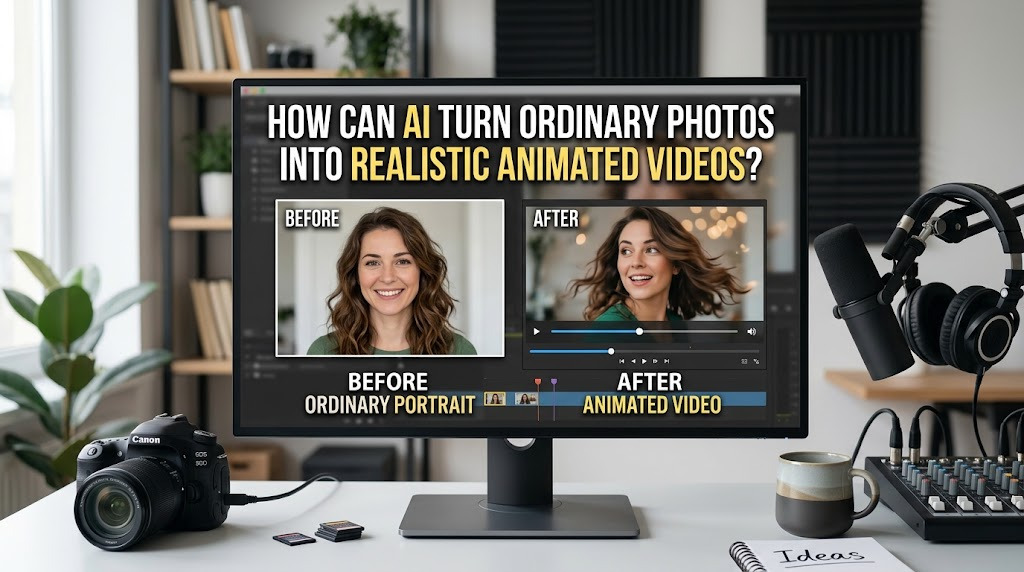
AI photo animation is a technology that can transform a still image into a short moving video. Instead of manually creating every frame, an AI system analyzes the image and predicts how certain elements could move. The process can add effects such as camera movement, facial expressions, environmental motion, and object movement.
This technology is useful for creators who have photographs, illustrations, or digital artwork but want to make them more dynamic. With image to video AI, a single photo can become the starting point for a short visual sequence. The final result depends on the quality of the original image, the instructions provided, and the capabilities of the AI tool.
HOW IMAGE TO VIDEO AI WORKS
The process usually begins when a user uploads a photograph to an AI video generator. The system examines visual elements such as people, objects, backgrounds, depth, and composition. It then generates additional visual information between frames to create the impression of movement.
Users can often provide a prompt describing the desired motion. For example, they might request a slow camera zoom, moving hair, gently waving trees, or a person looking toward the camera. The AI attempts to follow these instructions while preserving important characteristics of the original image.
WHAT TYPES OF PHOTOS WORK BEST?
The quality of the source image has a major influence on the final animation. High-resolution photos with clear subjects and good lighting generally provide better starting points than blurry or heavily compressed images. Images with a simple composition can also be easier for AI systems to animate naturally.
Portraits, landscapes, product photographs, illustrations, and architectural images can all be suitable for experimentation. However, photographs containing many overlapping objects or complicated movements may produce less predictable results. Choosing the right image before generation can therefore save time and improve the overall quality of the animation.
CREATING REALISTIC CHARACTER MOVEMENT
One interesting application is turning portraits into realistic animated videos. AI can attempt to create subtle movements such as blinking, head rotation, changes in facial expression, or natural body motion. These effects can make a previously static photograph appear more alive.
However, realistic human animation is technically challenging. AI-generated faces may occasionally change shape, produce unnatural expressions, or introduce visual inconsistencies. For this reason, creators should keep movements relatively simple when realism is the main goal and carefully inspect the generated video before publishing it.
ADDING CAMERA AND ENVIRONMENTAL MOTION
AI can also create movement without significantly changing the main subject. A photograph of a mountain landscape, for example, could be enhanced with a slow camera push, moving clouds, mist, or subtle environmental effects. This can create a cinematic animation while maintaining the original composition.
Camera movement is particularly useful for social media content because it can make static material feel more dynamic. Slow zooms, pans, and tracking effects can guide the viewer's attention toward important parts of an image. The key is to use movement carefully so that it supports the subject rather than distracting from it.
WRITING BETTER PROMPTS FOR PHOTO ANIMATION
A clear AI animation prompt can significantly influence the result. Instead of simply asking the AI to "animate this photo," describe the specific movement you want. Include details such as the subject's action, camera movement, environment, lighting, speed, and overall mood.
For example, a prompt could request a gentle camera push toward a person while their hair moves naturally in a light breeze. Keeping the instructions focused can help reduce unwanted changes. Creators can then make small adjustments and generate additional versions until they achieve a satisfactory result.
COMMON PROBLEMS WHEN ANIMATING PHOTOS
Although AI-generated video can produce impressive results, it is not always perfect. Common problems include distorted hands, changing facial features, unnatural body movements, flickering objects, inconsistent backgrounds, and unexpected camera motion. These issues become more noticeable when the animation contains complicated actions.
Another consideration is authenticity. When AI is used to animate photographs of real people, creators should avoid creating misleading content or making someone appear to say or do something they never did. Consent, transparency, copyright, and responsible use are important considerations when working with photographs of identifiable people.
HOW TO MAKE THE FINAL VIDEO MORE PROFESSIONAL
After generating the animation, creators can improve it through conventional video editing. Unwanted sections can be removed, multiple clips can be combined, and music, narration, subtitles, or sound effects can be added. Color correction and transitions can also help create a more consistent visual presentation.
It is usually better to treat an AI-generated clip as one part of the production process rather than the entire finished product. Combining AI animation with human editing and storytelling gives creators more control over pacing and presentation. This approach can turn a simple animated photograph into a more polished piece of content.
CONCLUSION
AI can turn ordinary photos into realistic animated videos by analyzing static images and generating movement based on visual information and user instructions. With image-to-video technology, creators can animate portraits, landscapes, illustrations, products, and other visual materials without manually creating every frame.
The best results come from using a high-quality source image, clear animation prompts, controlled movement, and careful post-production. Although AI still has limitations, it provides an accessible way to bring static photographs to life and create more engaging visual content for social media, marketing, storytelling, and creative projects.
Tentang Penulis
Gusti Ayu Tita P
Penulis — Universitas STEKOM
Penulis aktif yang berfokus pada isu-isu akademik, teknologi pendidikan, dan pengembangan sumber daya manusia di lingkungan kampus.