
How Can You Use a Fingerprint Scanner for Workplace Attendance?
Gusti Ayu Tita P
14 September 2026
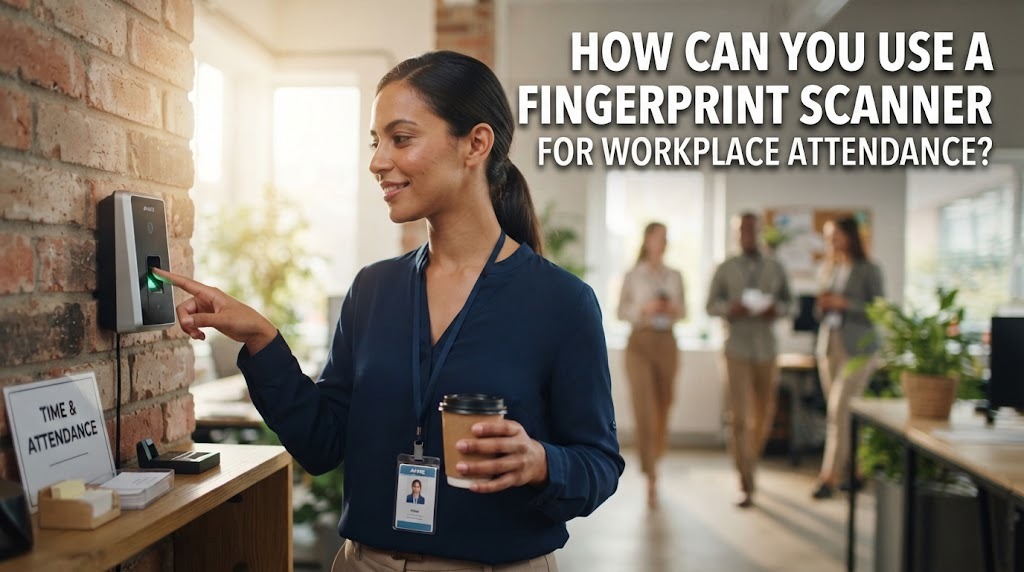
A fingerprint scanner can make workplace attendance faster and more organized. Employees use their registered fingerprints to record their arrival and departure times. The machine compares the scanned fingerprint with stored biometric data before saving the attendance record. Using the scanner correctly helps reduce failed scans and inaccurate records. With proper procedures, fingerprint attendance can support efficient daily workplace administration.
PREPARING BEFORE USING THE SCANNER
Before scanning, employees should make sure their hands are clean and reasonably dry. Dirt, excessive moisture, or oil can make the fingerprint difficult for the sensor to read. Employees should also know which finger has been registered in the attendance system. The scanner should be turned on and ready to receive a fingerprint. These simple preparations can help make the scanning process smoother.
Employees should avoid pressing their fingers against the scanner with excessive force. They should follow the instructions provided by the workplace or the device manufacturer. If the machine requires a particular finger, the correct registered finger should be used. Proper preparation can reduce repeated scanning attempts.
PLACING THE FINGER CORRECTLY
The employee should place the registered finger directly on the scanner's sensing area. The central part of the fingertip should normally cover the sensor properly. The finger should remain still while the machine captures the fingerprint. Moving the finger too quickly can result in an incomplete scan. Correct positioning gives the scanner a better chance of recognizing the registered pattern.
Employees should also avoid placing only the edge of the fingertip on the sensor. If the scanner does not recognize the finger, the employee can remove it and try again using the correct position. Repeated failures may indicate that the finger or scanner needs to be cleaned. If the problem continues, the employee should report it to the responsible staff member.
RECORDING ARRIVAL AND DEPARTURE
Fingerprint attendance systems are generally used to record important attendance events, such as arrival and departure. Employees should scan their registered fingerprint according to the workplace attendance schedule. After a successful scan, the machine may display the employee's name, identification number, or confirmation message. Employees should check the confirmation when available.
The same procedure can be followed when recording the end of the work period. Employees should not scan repeatedly unless the machine indicates that another scan is required. Multiple unnecessary scans could create confusion depending on how the attendance system is configured. Following the workplace's attendance rules helps maintain accurate records.
CHECKING THE SCAN RESULT
After placing the finger on the sensor, employees should wait for the scanner to provide a successful confirmation. The machine may produce a sound, display a message, or show an indicator when the fingerprint has been accepted. Employees should make sure the system has actually recorded the attendance before leaving the machine. This is especially important when attendance records are used for administrative purposes.
If the scanner displays an error message, the employee should read the message and try the recommended solution. Cleaning the finger and sensor may solve a simple reading problem. The employee should avoid repeatedly pressing the same finger with excessive force. If the fingerprint remains unreadable, the issue should be reported to the appropriate administrator.
HANDLING FAILED FINGERPRINT SCANS
Failed scans can happen for several reasons. Wet fingers, dirty sensors, dry skin, injuries, or incorrect finger placement may affect the scanning process. Employees should first clean and dry their finger before trying again. They should also make sure the finger is positioned correctly on the sensor. If available, another registered finger may be used according to workplace procedures.
If repeated attempts fail, employees should not continue forcing the scanner. The attendance administrator may need to check the employee's registration or inspect the machine. A manual attendance procedure can be used when permitted by workplace policy. Reporting repeated problems also helps the organization identify technical issues.
FOLLOWING WORKPLACE ATTENDANCE RULES
Using a fingerprint scanner is not only about placing a finger on the sensor. Employees must follow the organization's attendance policy, including scheduled arrival and departure times. They should use their own registered fingerprint and should not attempt to record attendance for another employee. Employees should also report technical problems honestly and promptly.
Organizations should protect employee biometric information and attendance records from unauthorized access. Only authorized personnel should manage fingerprint registration and attendance data. Clear procedures can help employees understand what to do when the scanner fails. Proper use of the system supports both accurate attendance records and workplace security.
CONCLUSION
Using a fingerprint scanner for workplace attendance requires employees to prepare their fingers, place them correctly, and confirm that the scan has been successfully recorded. Clean fingers, proper positioning, and a clean sensor can improve scanning results. When a scan fails, employees should follow the workplace procedure instead of repeatedly forcing the scanner. They should also follow attendance rules and use only their own registered fingerprint. With consistent use, fingerprint scanners can make employee attendance management more efficient and organized.
Tentang Penulis
Gusti Ayu Tita P
Penulis — Universitas STEKOM
Penulis aktif yang berfokus pada isu-isu akademik, teknologi pendidikan, dan pengembangan sumber daya manusia di lingkungan kampus.