
How to Choose Safe and Trusted Android Apps Before Downloading?
Gusti Ayu Tita P
7 Agustus 2026
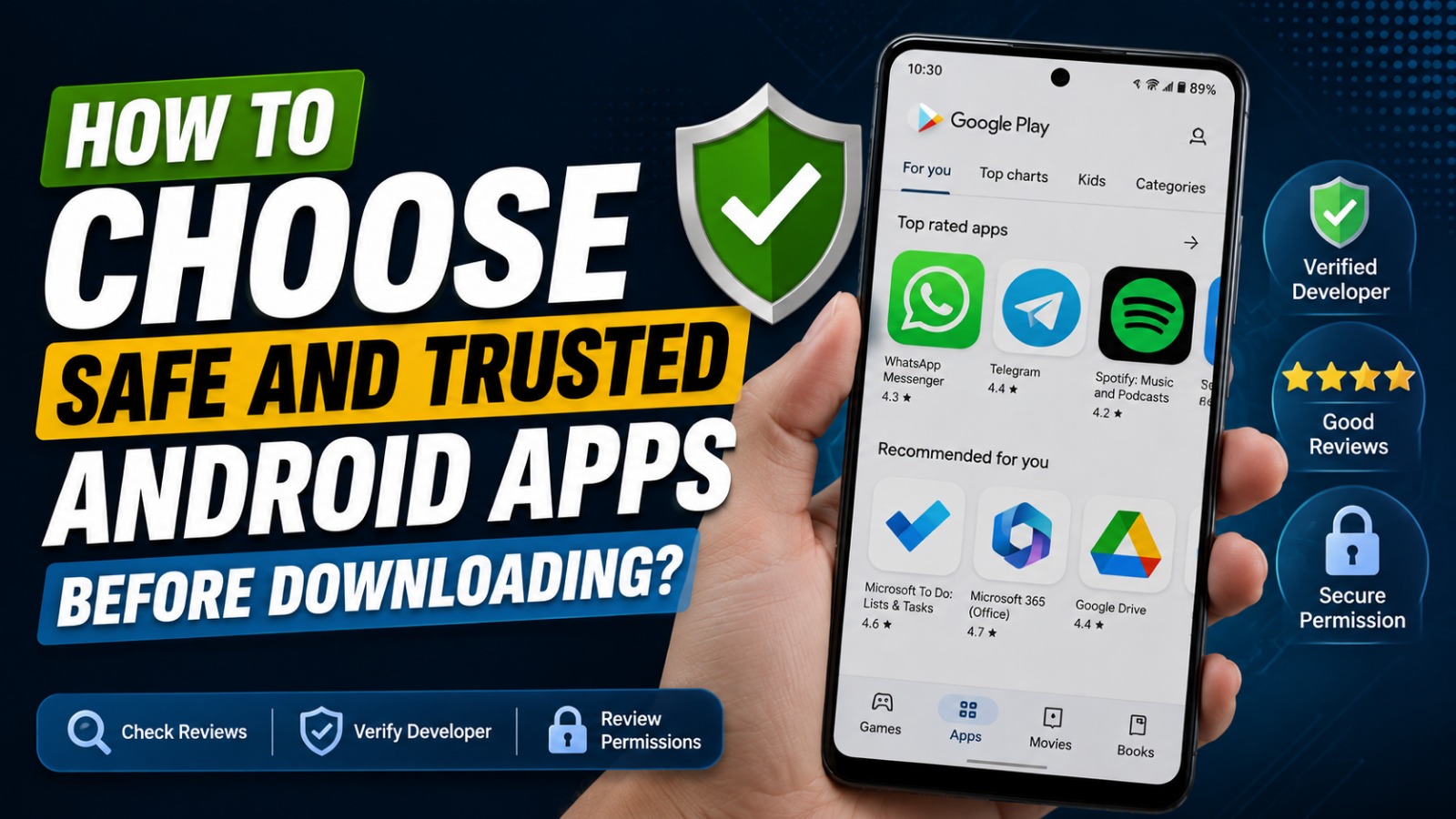
Android offers millions of applications that help users communicate, learn, work, shop, and stay entertained. While this wide selection is one of Android's greatest strengths, it also increases the risk of downloading unsafe or malicious applications. Some apps may contain malware, collect excessive personal data, or display misleading information that can compromise your privacy and security.
Choosing safe and trusted Android apps is essential for protecting your personal information and ensuring a smooth smartphone experience. By following a few simple guidelines, you can confidently install applications while minimizing the risk of cyber threats and data breaches.
DOWNLOAD APPS FROM TRUSTED SOURCES
The safest way to install Android applications is by downloading them from the Google Play Store or other trusted official app stores. These platforms perform security checks to identify harmful applications before they become available to users. Although no platform can guarantee complete safety, official stores provide much stronger protection than unknown websites.
Avoid downloading APK files from unfamiliar sources unless you completely trust the provider. Unverified installation files may contain malware or modified software designed to steal sensitive information. Trusted app stores, Google Play Store, and secure app downloads significantly reduce the risk of installing dangerous applications.
CHECK THE DEVELOPER'S CREDIBILITY
Before downloading an application, take a few moments to review the developer's profile. Well-known developers usually provide detailed information, maintain professional websites, and regularly update their applications. Their reputation is often reflected through consistent user feedback and a history of reliable software.
Be cautious if the developer has only one application, provides little contact information, or has multiple negative reviews regarding security issues. Spending a few minutes verifying the developer can help you avoid many potential risks. Verified developers, trusted publishers, and developer reputation are important indicators of application quality.
READ USER REVIEWS AND RATINGS
User reviews provide valuable insights into an application's performance, reliability, and security. Positive reviews from a large number of users generally indicate that the application functions as expected. However, do not rely only on the overall rating.
Read both positive and negative comments to identify recurring problems such as excessive advertisements, frequent crashes, hidden charges, or suspicious behavior. If many users report similar security concerns, it is better to look for an alternative application. App reviews, user ratings, and customer feedback help users make informed decisions.
REVIEW APP PERMISSIONS CAREFULLY
Every Android application requests certain permissions to access device features. While some permissions are necessary for functionality, others may be excessive or unrelated to the app's purpose. For example, a calculator app should not normally require access to your contacts, microphone, or location.
Always review requested permissions before installation and adjust them afterward through Android settings if necessary. Choosing "Allow only while using the app" for sensitive permissions provides better privacy protection. App permissions, Android privacy, and permission management are essential for safeguarding personal data.
VERIFY THE NUMBER OF DOWNLOADS
The number of downloads can provide useful information about an application's popularity and reliability. Applications with millions of downloads and consistently high ratings have generally earned the trust of many users over time. While popularity alone does not guarantee security, it can be a helpful indicator.
New applications are not necessarily unsafe, but they deserve closer examination before installation. Combine download numbers with developer reputation, reviews, and update history for a more complete evaluation. Download statistics, popular Android apps, and trusted applications support safer downloading decisions.
CHECK THE LAST UPDATE DATE
Regular updates demonstrate that developers actively maintain their applications. Frequent updates usually include bug fixes, performance improvements, compatibility enhancements, and important security patches that protect users from newly discovered vulnerabilities.
Applications that have not been updated for several years may contain outdated code or security weaknesses. Before downloading any app, verify that it has received recent maintenance. App updates, software maintenance, and security improvements help ensure a safer user experience.
USE GOOGLE PLAY PROTECT
Android includes Google Play Protect, a built-in security feature that automatically scans installed applications for suspicious behavior. It continuously monitors your device and alerts you if potentially harmful software is detected. Keeping this feature enabled provides an additional layer of protection.
Google Play Protect also scans newly installed applications and periodically checks existing ones. Although it should not replace careful decision-making, it significantly improves overall device security. Google Play Protect, malware scanning, and Android security work together to reduce cybersecurity risks.
AVOID APPS THAT PROMISE UNREALISTIC FEATURES
Be cautious of applications that promise impossible capabilities such as instantly increasing battery capacity, dramatically boosting internet speed, or providing unlimited premium services for free. These exaggerated claims are often used to attract downloads and may hide malicious software or intrusive advertising.
Legitimate developers clearly explain what their applications can and cannot do. If an app's description seems unrealistic or contains misleading information, it is safer to choose a more reputable alternative. Fake Android apps, scam applications, and misleading software should always be avoided.
REMOVE UNUSED OR SUSPICIOUS APPS
Even after installing trusted applications, it is important to review your installed apps regularly. Applications you no longer use may continue consuming storage, battery power, or collecting unnecessary data in the background. Removing unused software improves both performance and security.
If an app begins displaying excessive advertisements, requesting unusual permissions, or behaving unexpectedly after an update, uninstall it immediately. Regular maintenance keeps your Android device secure and efficient. App management, Android cleanup, and device security contribute to a safer smartphone experience.
CONCLUSION
Choosing safe and trusted Android apps requires more than simply selecting the first result in an app store. Downloading applications from trusted sources, verifying developers, reading user reviews, checking permissions, monitoring update history, and using Google Play Protect all help protect your personal information.
By developing smart downloading habits, you can reduce the risk of malware, identity theft, and privacy violations while enjoying the best Android applications available. Taking a few extra minutes before installing an app can save you from significant security problems in the future.
Tentang Penulis
Gusti Ayu Tita P
Penulis — Universitas STEKOM
Penulis aktif yang berfokus pada isu-isu akademik, teknologi pendidikan, dan pengembangan sumber daya manusia di lingkungan kampus.