
How to Create a Coretax DJP Account for Online Tax Administration?
Gusti Ayu Tita P
26 Agustus 2026
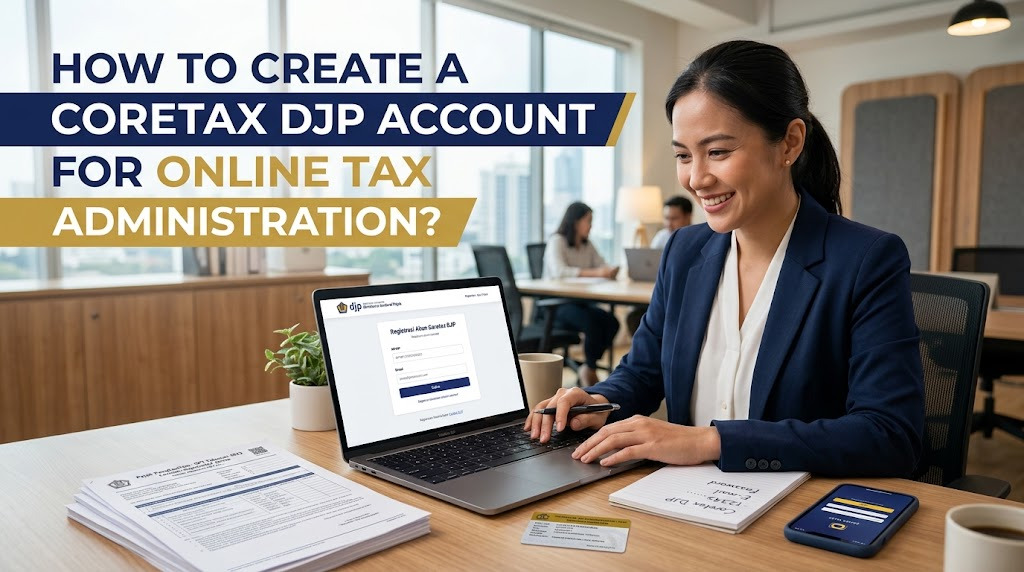
Creating a Coretax DJP account is an important step for taxpayers who need to access Indonesia’s digital tax administration services. Coretax is designed to integrate various tax services into one system, allowing taxpayers to manage their tax obligations more systematically. For new users, understanding the account creation process can make online tax administration easier.
Before creating an account, taxpayers should ensure that their identity and contact information are accurate. Preparing the required information in advance can reduce errors during verification. Users should also access Coretax only through the official Directorate General of Taxes or DJP portal.
UNDERSTAND THE CORETAX DJP ACCOUNT
A Coretax DJP account provides taxpayers with access to digital tax administration services according to their profile and authorization. Depending on the taxpayer’s status, the system can support activities such as taxpayer registration, taxpayer data management, tax reporting, payments, and tax invoices.
The account is therefore more than just a login credential. It is connected to the taxpayer’s information within the tax administration system. Keeping the account information accurate and secure is important for completing future tax administration services.
PREPARE THE REQUIRED INFORMATION
Before starting the account creation process, prepare your NIK or NPWP, active email address, and mobile phone number. Make sure the information is accurate and can be accessed during the registration process. Email and mobile numbers may be needed for verification and account recovery.
Business taxpayers may also need information related to their business or company profile. Preparing relevant documents beforehand can make the process more efficient. Avoid entering information based on assumptions because incorrect data can cause problems during verification.
ACCESS THE OFFICIAL CORETAX PORTAL
Open the official Coretax DJP portal using a trusted and updated browser. Carefully verify the website before entering your NIK, NPWP, password, or other personal information. This step is important to avoid fraudulent websites that imitate government tax services.
Do not access your account through suspicious links received from unknown sources. When looking for registration instructions, use information from official DJP communication channels. Keeping your login process within official channels helps protect your taxpayer information.
START THE ACCOUNT CREATION OR ACTIVATION PROCESS
The exact process can depend on whether you are an existing taxpayer or a new taxpayer. Users who already have a taxpayer record may need to complete Coretax account activation, while those who are not yet registered may need to follow the applicable taxpayer registration process.
Follow the instructions displayed by Coretax carefully. The system may request identity verification and confirmation of contact information before the account can be activated. Complete every required step and avoid closing the page while an important verification process is still running.
COMPLETE IDENTITY VERIFICATION
Identity verification helps ensure that the Coretax account is connected to the correct taxpayer. Enter your personal information exactly as requested by the system. Depending on the applicable procedure, additional verification may be required.
If the system asks for a selfie or other identity verification, follow the instructions carefully and make sure the image or information provided is clear. Use your own valid identity information. Never ask another person to complete identity verification on your behalf.
VERIFY YOUR EMAIL AND MOBILE NUMBER
An active email address and mobile phone number are important for Coretax users. Verification messages may be sent to these contacts during account activation or recovery. Make sure you can access the email inbox and mobile phone used in the registration process.
If you do not receive an email, check your spam or junk folder before requesting another message. For mobile verification, make sure your phone has sufficient signal. Never give an OTP or verification code to another person, even if they claim to represent a tax service.
CREATE A SECURE CORETAX PASSWORD
After completing the required verification, create a strong Coretax password according to the requirements displayed by the system. Avoid using easily guessed information such as your name, birthday, or simple number combinations. A unique password can provide better protection for your account.
Keep your password confidential and do not share it with anyone. DJP account credentials should never be handed over to people offering unofficial assistance. If you forget your password, use the official password recovery feature provided by Coretax.
CHECK YOUR ACCOUNT AFTER ACTIVATION
After successfully creating or activating your account, log in and review your taxpayer profile. Check important information such as your name, NIK or NPWP, address, email, mobile phone number, and other available taxpayer information.
If you discover incorrect information, follow the appropriate taxpayer data update procedure. Correct information can help prevent difficulties when using services such as tax reporting or payments. Keep your personal and tax documents organized so they can be accessed when needed.
TIPS FOR EASY ONLINE TAX ADMINISTRATION
To make online tax administration easier, keep your tax documents organized and maintain an active email address and mobile phone number. Prepare documents before starting tax services so you do not have to stop midway through the process. Regularly checking your taxpayer profile can also help identify outdated information.
It is also important to keep track of your tax obligations and reporting deadlines. Do not wait until the last moment to complete important tax administration because technical problems or missing documents may take additional time to resolve. When you encounter a problem, use official DJP assistance instead of relying on unofficial sources.
CONCLUSION
Creating a Coretax DJP account involves preparing taxpayer information, accessing the official portal, completing the required registration or activation process, verifying your identity and contact details, and securing your account with a strong password. Each step should be completed carefully to minimize errors.
By understanding how to create a Coretax account, Coretax DJP registration, taxpayer data, Coretax login, online tax administration, and tax services, beginners can adapt to the digital tax system more easily. Always protect your password and verification codes, and use official DJP information when you need additional guidance.
Tentang Penulis
Gusti Ayu Tita P
Penulis — Universitas STEKOM
Penulis aktif yang berfokus pada isu-isu akademik, teknologi pendidikan, dan pengembangan sumber daya manusia di lingkungan kampus.