
How to File an Annual Tax Return Through Coretax DJP Easily and Correctly?
Gusti Ayu Tita P
26 Agustus 2026
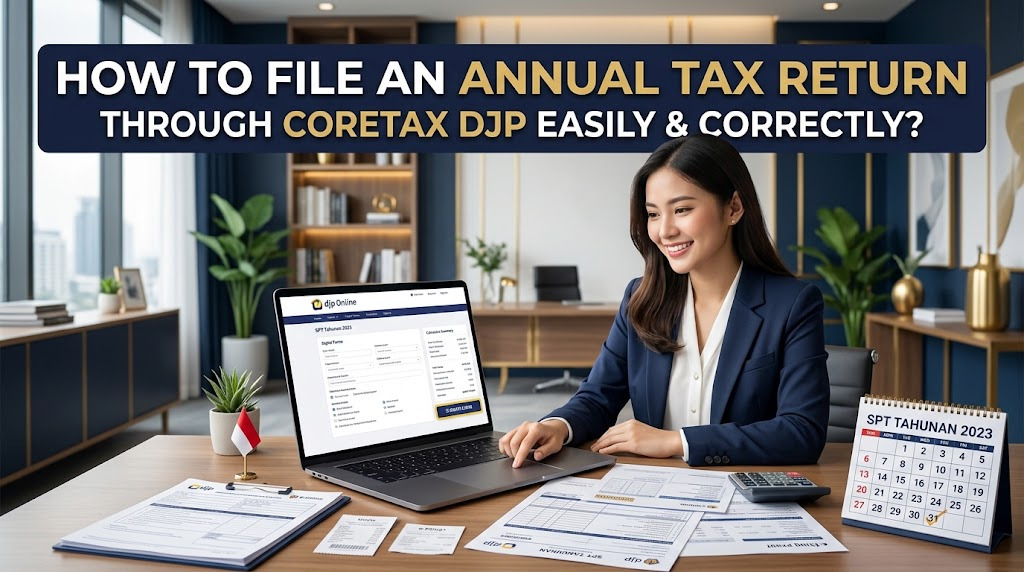
Filing an Annual Tax Return through Coretax DJP is an important obligation for taxpayers who are required to submit an annual tax return. Coretax provides an integrated digital environment that allows taxpayers to manage their tax administration online. For beginners, understanding the filing process can make the annual reporting process more organized and less confusing.
Before submitting an Annual Tax Return or SPT Tahunan, taxpayers should prepare their tax documents and check their personal information. Accurate data is important because the information submitted through Coretax becomes part of the taxpayer's official tax administration. Preparing everything in advance can also reduce the risk of errors during the filing process.
UNDERSTAND ANNUAL TAX RETURN FILING THROUGH CORETAX
An Annual Tax Return is used by taxpayers to report relevant information concerning their income, tax obligations, and other required information for a tax year. Through Coretax DJP, taxpayers can complete the applicable annual reporting process digitally. The exact information required depends on the taxpayer's status and circumstances.
Individual taxpayers and corporate taxpayers may have different reporting requirements. Therefore, users should select the appropriate Annual Tax Return type based on their taxpayer status. Understanding the type of return before starting can prevent incorrect information from being entered into the system.
PREPARE YOUR TAX DOCUMENTS
Before opening Coretax, prepare all relevant tax documents and financial information. Individual taxpayers may need information such as income records, withholding tax certificates, assets, liabilities, and other required information. Employees should also prepare documents provided by their employers when applicable.
Business and corporate taxpayers may need more detailed information concerning business income, expenses, transactions, tax payments, and financial records. The required documents depend on the nature of the business and applicable tax rules. Organizing these documents beforehand can make the online filing process significantly easier.
LOG IN TO YOUR CORETAX DJP ACCOUNT
Start by accessing the official Coretax DJP portal and log in using your registered credentials. Make sure your NIK or NPWP and password are entered correctly. If the system requires additional verification, complete it according to the instructions displayed.
Once you enter the system, check your taxpayer profile before beginning the filing process. Make sure your name, taxpayer identification information, contact details, and other relevant data are accurate. If you find an important discrepancy, resolve it through the appropriate procedure before submitting your tax return.
SELECT THE ANNUAL TAX RETURN SERVICE
After logging in, access the service related to Annual Tax Return filing. Select the relevant tax year and taxpayer status as required by the system. Read the instructions carefully because the information requested may vary according to the taxpayer's circumstances.
Coretax may provide certain information that is already available within the tax administration system. However, taxpayers should not assume that every field is automatically complete or correct. Review the available information against your own tax records and supporting documents.
ENTER YOUR INCOME AND TAX INFORMATION
The next step is to enter the required income and tax information. For individuals, this may include employment income, business income, investment income, or other income that must be reported according to applicable regulations. Use reliable records rather than estimates when completing the return.
Pay attention to information related to withholding tax and tax credits. If the system provides pre-filled information, compare it with your supporting documents. If there is a discrepancy, investigate the difference before submitting the Annual Tax Return.
REPORT ASSETS AND LIABILITIES
Depending on the applicable Annual Tax Return, taxpayers may need to report assets and liabilities. These can include property, vehicles, savings, investments, loans, or other relevant financial information. Use accurate information based on the taxpayer's circumstances and applicable reporting requirements.
Do not intentionally leave out information that is required to be reported. Keep supporting documents or records that explain the information entered. Good documentation can make it easier to clarify the data if questions arise in the future.
REVIEW THE ANNUAL TAX RETURN BEFORE SUBMISSION
Before submitting, carefully review all sections of your Annual Tax Return. Check your identity, tax year, income, withholding information, assets, liabilities, and other required fields. A final review can help identify simple mistakes before the return is officially submitted.
Pay particular attention to numbers, dates, and tax amounts because small errors can affect the information reported. Compare the final data with your source documents whenever possible. Do not submit the return until you are confident that the information is complete and accurate.
SUBMIT THE ANNUAL TAX RETURN
After completing and reviewing the return, follow the submission process in Coretax DJP. The system may require an authentication or verification step before the filing can be finalized. Complete the requested process and wait for confirmation from the system.
After successful submission, keep the electronic filing receipt or proof of submission. This document can be useful as evidence that the Annual Tax Return was submitted. Store it together with other tax documents for future reference.
WHAT IF AN ERROR OCCURS DURING FILING?
If Coretax shows an error during the filing process, first read the message carefully. The problem may be related to incomplete information, inconsistent data, or a technical issue. Check the relevant section instead of immediately submitting the return again.
If the error continues after the information has been checked, document the error message or reference information. Then use official DJP support channels for assistance. Avoid giving your password, OTP, or other confidential account information to unauthorized individuals.
TIPS FOR EASIER ANNUAL TAX FILING
Start preparing your tax documents early instead of waiting until the reporting deadline. Keep income records, withholding certificates, financial information, and other supporting documents organized throughout the year. This habit can make Annual Tax Return filing much faster.
It is also helpful to regularly check your Coretax account and taxpayer data. Make sure your registered email and mobile number remain active. By keeping your information updated and documents organized, you can reduce the possibility of delays during annual tax reporting.
CONCLUSION
Filing an Annual Tax Return through Coretax DJP involves preparing tax documents, logging into your account, selecting the appropriate filing service, entering accurate information, reviewing the return, and completing the submission process. Each stage should be handled carefully to minimize administrative errors.
By understanding Coretax DJP, Annual Tax Return filing, Coretax login, taxpayer data, online tax administration, and tax documents, taxpayers can complete their annual reporting more confidently. Always follow the latest instructions from the Directorate General of Taxes because tax procedures and digital services may be updated over time.
Tentang Penulis
Gusti Ayu Tita P
Penulis — Universitas STEKOM
Penulis aktif yang berfokus pada isu-isu akademik, teknologi pendidikan, dan pengembangan sumber daya manusia di lingkungan kampus.